If you are an iOS user trying to install Delta iOS Executor but cannot install it because “Untrusted Enterprise Developer” error appears on your iPhone or iPad, this guide will help you fix the problem easily.
In this blog post, I will show you a step-by-step tutorial with screenshots and a video guide on how to fix Untrusted Enterprise Developer error on iOS devices and successfully install Delta Executor on iPhone and iPad.
Page Contents:
About Roblox:
Roblox is an online mobile gaming platform available on Android, iOS, Windows, and Mac devices. Developed by Roblox Corporation, Roblox allows users to create, share, and play millions of mobile games made by themselves and other players around the world.
What is Delta iOS?
Delta iOS, also known as Delta iOS Executor, is a modified version of Roblox iOS app designed for advanced script execution features. It is available as an .ipa file and can be installed on iPhone and iPad devices using Scarlet app or through direct installation methods. Delta Executor iOS provides additional customization and enhanced gameplay tools for Roblox users on iOS devices.
How To Fix Delta Executor iOS Untrusted Enterprise Developer Error? (Video)
How To Fix Delta Executor iOS Untrusted Enterprise Developer Error? (Screenshots)
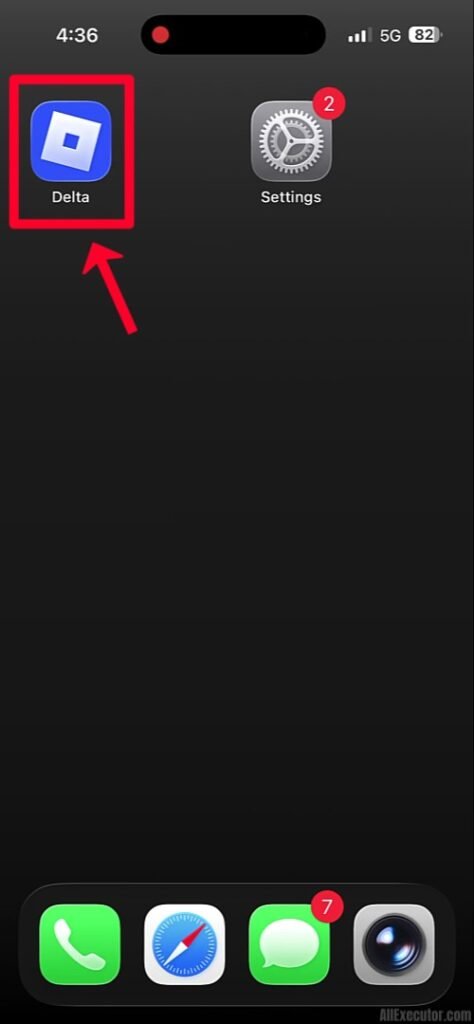
Step 1: After installing Delta Executor iOS, tap on “Delta” app to open it.
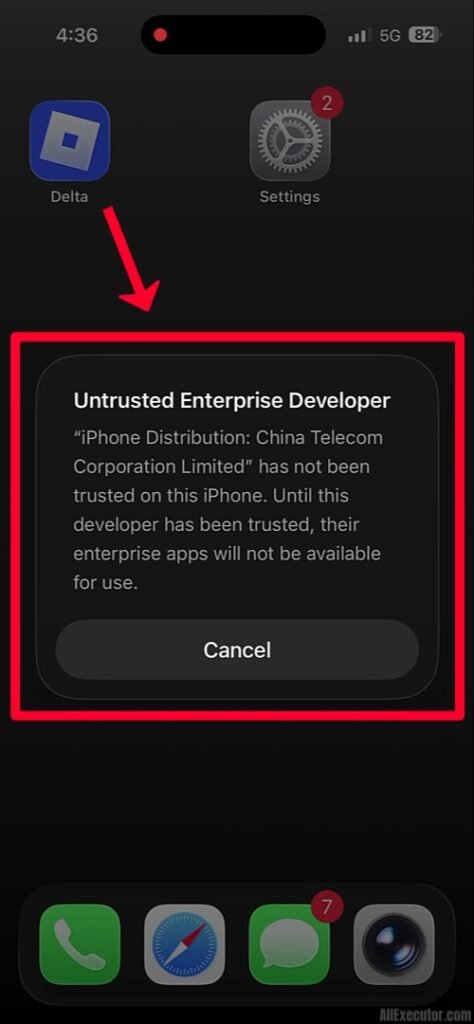
Step 2: Most iPhone and iPad users may see “Untrusted Enterprise Developer” error while trying to launch Delta iOS.
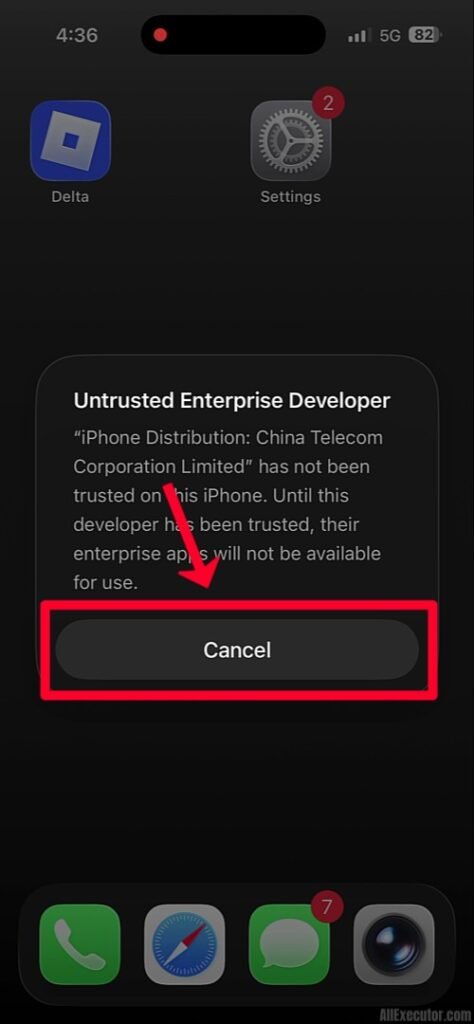
Step 3: Tap on “Cancel” button to close the error message.
Step 4: Open “Settings” app on your iOS device.
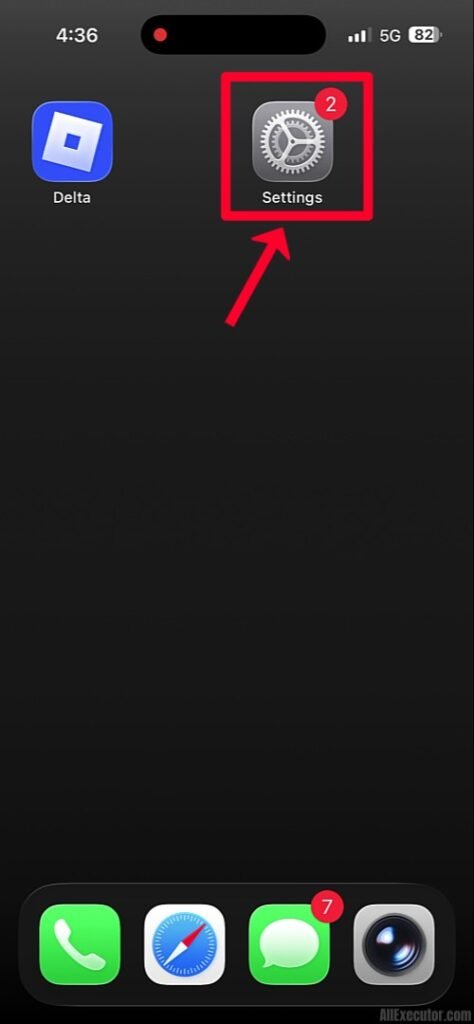
Step 5: Scroll down and tap on “General”.
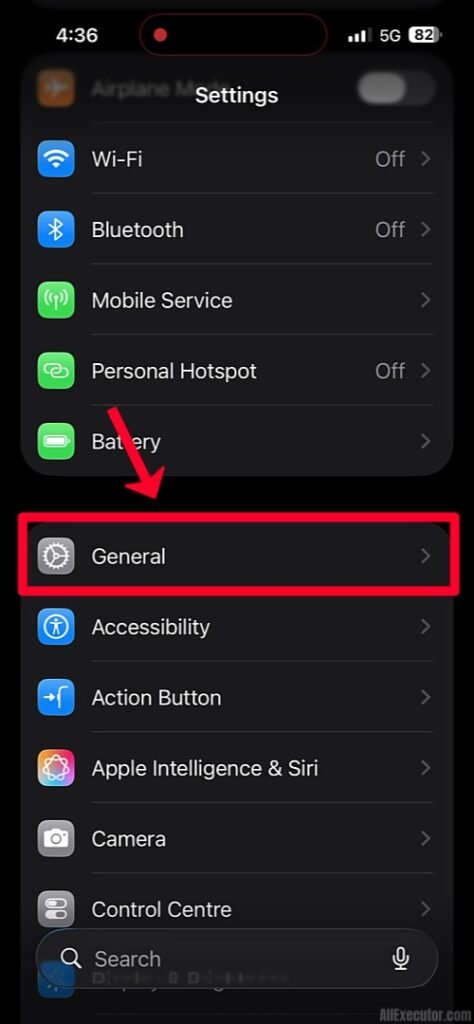
Step 6: Scroll down again and tap on “VPN & Device Management”.
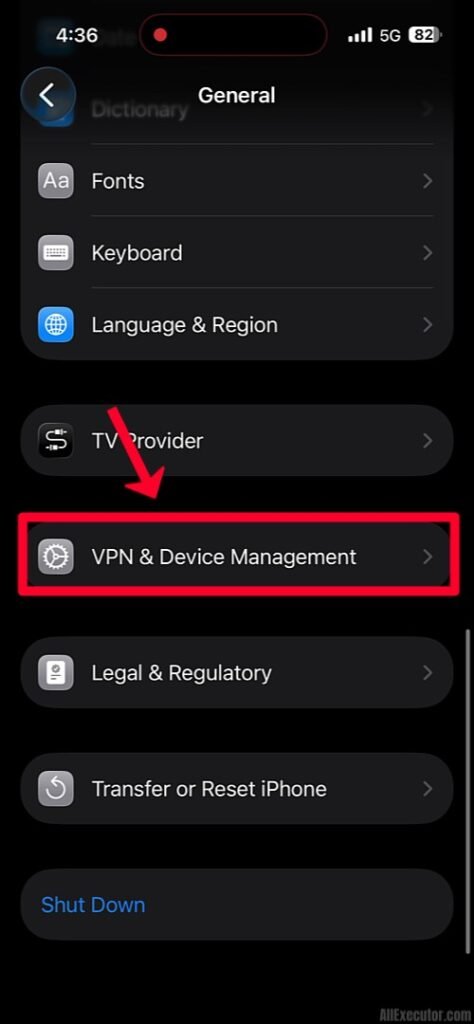
Step 7: Under “Enterprise App” section, tap on developer profile for Delta Executor iOS.
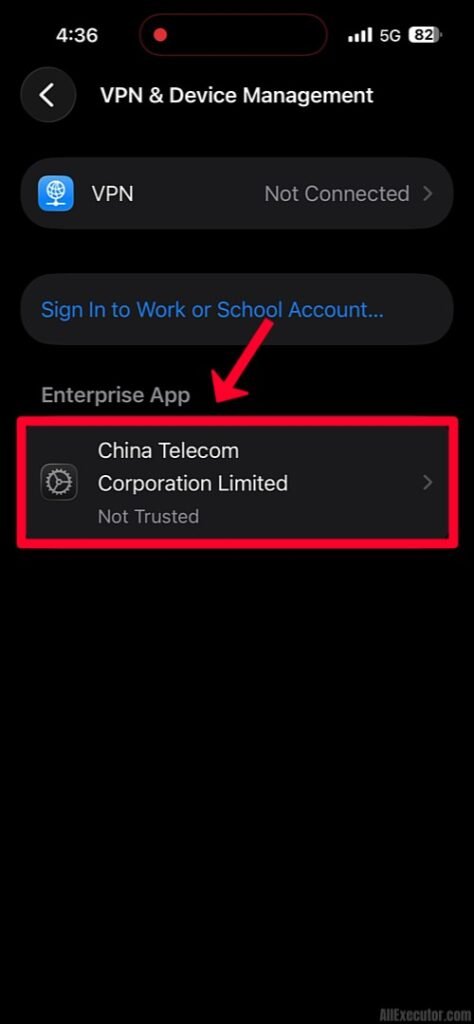
Step 8: Tap on “Trust” option to verify Delta app developer.
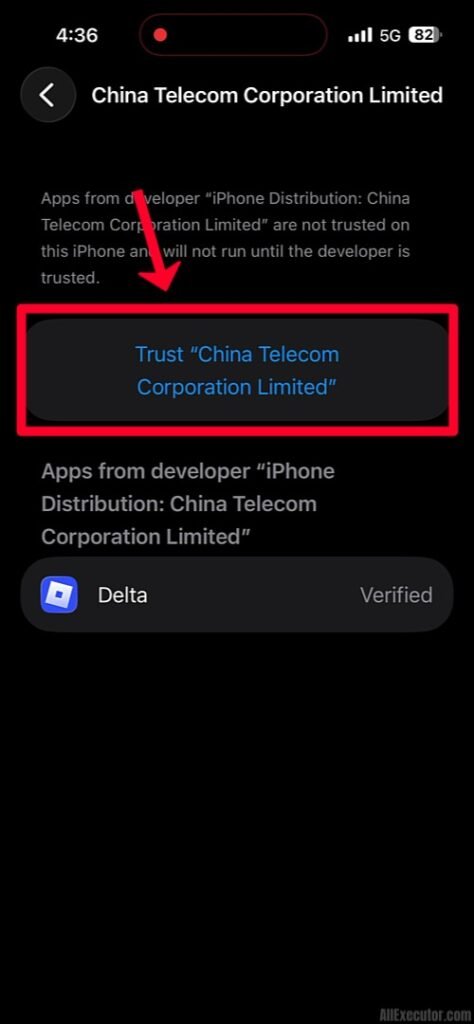
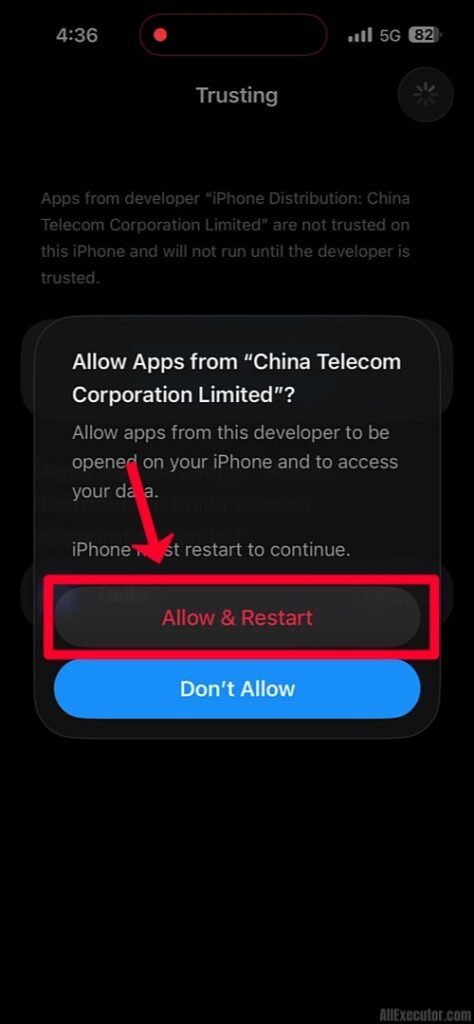
Step 9: Tap on “Allow & Restart” to restart your iPhone or iPad.
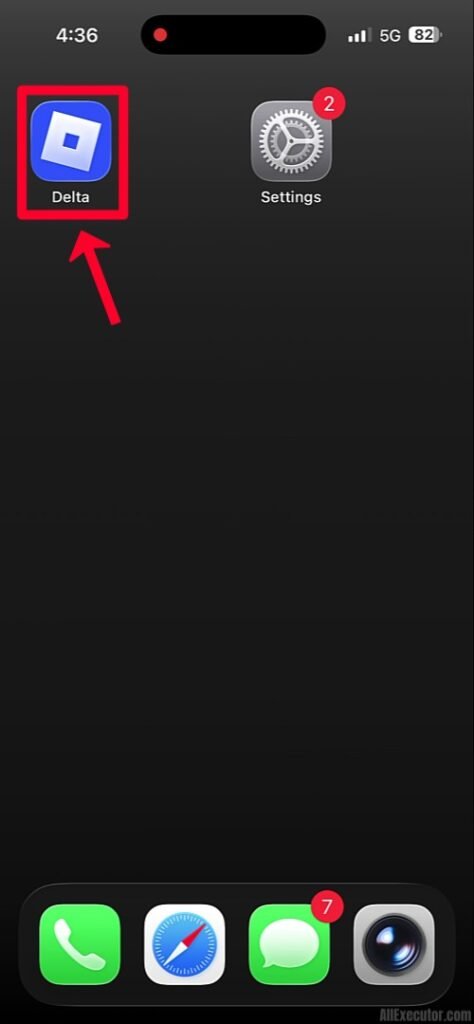
Step 10: After your device restarts, tap on “Delta Executor iOS” app again.
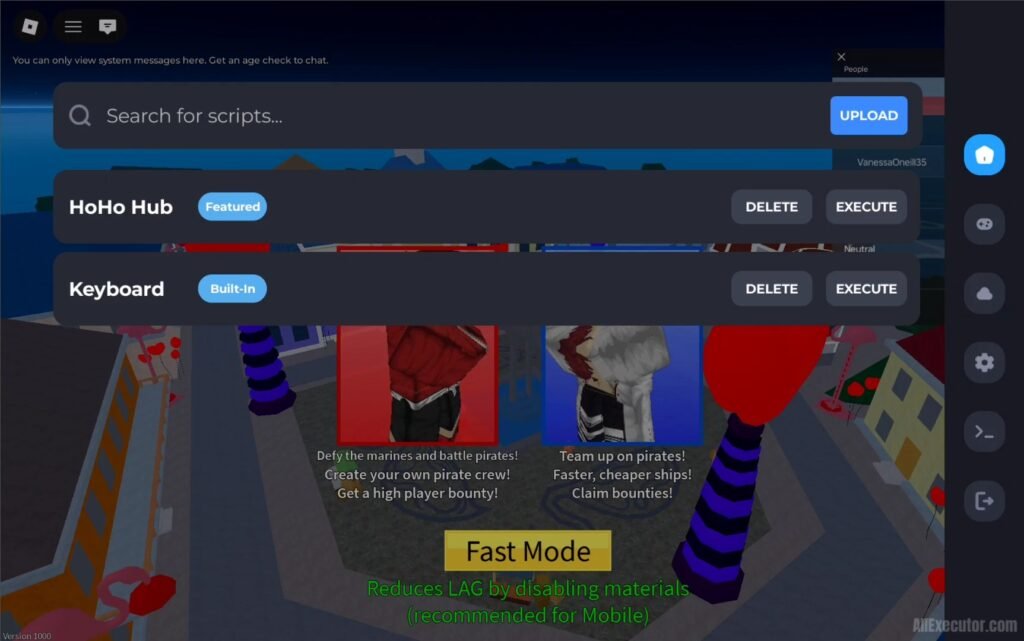
Step 11: Untrusted Enterprise Developer error is now fixed, and you can use Delta iOS Executor on your iPhone or iPad without any issues. Enjoy!
Frequently Asked Questions (FAQ’s):
Q1. What is “Untrusted Enterprise Developer” error?
Ans. When you download and install any app on your iPhone or iPad from a third-party source instead of the official Apple App Store, “Untrusted Enterprise Developer” error may appear. This security warning is common on iOS devices and occurs until you manually trust developer profile from your iPhone settings. Once the app developer is trusted, you can open and use the application without any issues.
Q2. Why am I seeing this error when installing Delta Executor on iOS?
Ans. Delta iOS is distributed as a third-party application and is not officially available on the Apple App Store. It uses an enterprise developer profile to run on iPhones and iPads, which may trigger the “Untrusted Enterprise Developer” security warning on iOS devices. Users must manually trust developer profile in their iPhone or iPad settings before they can successfully open and use Delta iOS.
Q3. Is it safe to trust an enterprise developer for Delta Executor?
Ans. Trusting enterprise developer profile allows Delta Executor iOS app to run on your iPhone or iPad successfully. Since Delta iOS is a third-party Roblox executor, manually trusting developer profile is required before using app on iOS devices. To avoid security risks and installation problems, always download Delta Executor iOS from a trusted and official source.
Q4. How often will I have to repeat this trust process?
Ans. Whenever you install or update Delta Executor iOS app on your iPhone or iPad, you may need to repeat enterprise developer trust process. This is a common requirement for third-party iOS applications and helps allow Delta iOS to run properly on your device after every new installation or app update.
Q5. Does the fix for untrusted developer error work on iPad as well?
Ans. Yes, the trust process is the same for both iPhone and iPad users facing the Delta Executor iOS “Untrusted Developer” error. When the error message appears, simply tap the “Cancel” button and navigate to “Settings > General > VPN & Device Management”. Then, trust Delta Executor iOS developer profile to successfully launch and use Delta Executor on your iPhone or iPad without any issues.
Final Words:
In this blog post, we have covered the complete solution for Delta Executor iOS “Untrusted Developer” error with a step-by-step tutorial, screenshots, and a video guide. If you are facing any other errors on Delta Executor iOS or experience any issues while fixing Untrusted Enterprise Developer error, feel free to comment below. We will reply with a solution as soon as possible to help you fix the problem on your iPhone or iPad.